Designing a user-friendly experience for your portfolio website is paramount in today’s digital landscape. A compelling portfolio website isn’t just an online resume; it’s a dynamic platform for showcasing your skills, building your brand, and attracting potential clients. It acts as a crucial first impression, allowing you to leave a lasting impact and separate yourself from competitors. This article dives deep into creating a portfolio that not only looks fantastic but also provides a seamless and engaging user experience. We’ll explore key strategies, identify common pitfalls, and provide actionable steps for transforming your portfolio into a high-converting online asset. This comprehensive guide will walk you through each stage of the design process, from defining your target audience to implementing interactive elements, enabling you to craft a compelling narrative that truly resonates with potential clients and prospects. We’ll also touch upon important aspects like mobile optimization and SEO strategies.
Understanding Your Target Audience: The Foundation of a User-Friendly Experience
Defining Your Ideal Client
Before diving into design, clearly define your ideal client. Consider their needs, interests, and preferences. What problems are they trying to solve? What solutions are they looking for? Understanding your target audience allows you to tailor your portfolio’s content, visuals, and overall tone to resonate with them. For example, a designer targeting corporate clients might want to showcase projects demonstrating a corporate aesthetic or using business-oriented imagery and language, while a designer targeting creative individuals may present a portfolio with vibrant imagery and projects focusing on individuality and creativity.
Researching User Behavior
Conduct thorough research into user behavior on similar portfolio websites. Use tools like Google Analytics to gather data on website traffic and engagement. Analyzing heatmaps and click-through rates will reveal areas that need improvement. This data-driven approach allows you to identify what’s working and what’s not, allowing you to optimize for a better user experience.
Considering Technical Aspects
Think about how users will interact with your website on different devices. Your design should be responsive, adapting seamlessly to various screen sizes, including desktop, tablet, and mobile. A user-friendly mobile experience is critical given the prevalence of mobile browsing. Also, prioritize website speed and performance for a smooth and seamless experience.
Related Post : Tailoring Your Web Design Portfolio to Specific Job Applications.
Creating a User Persona
Develop a user persona based on your target audience research. This will help you visualize your ideal client and make informed design decisions. By creating user personas, you can predict user behavior, anticipate potential challenges, and address them in your design.
Designing an Intuitive Navigation System
Creating a Logical Structure
A well-organized navigation system is critical for a seamless user experience. Use clear and concise labels for your menu items. Organize your work into logical categories, such as by project type, industry, or skill. A clear structure ensures that users can easily find the information they need. Avoid overly complex menus, and stick to a logical flow for all users. A good navigation system is fundamental in keeping users engaged and fostering trust in the content provided.
Employing a Consistent Design Language
Apply a consistent visual language to all navigation elements. Use consistent color schemes and typography to maintain a cohesive aesthetic and streamline the user experience. Using familiar icons and symbols will also help users in the navigation process. For example, using a magnifying glass for search and a basket or cart icon for a contact form.
Testing and Refining
Test your navigation system with potential users to gather feedback. Ask for their opinions on clarity and efficiency. Identify areas for improvement based on their feedback. Make adjustments and refinements to enhance user-friendliness. Using user testing tools to analyze user behavior through session recording, heatmaps, and user surveys provides valuable insights. This iterative process ensures that the website design is user-centered and aligned with the target audience’s needs and expectations.
Optimizing Visual Appeal and Aesthetics
High-Quality Visuals
Visuals play a critical role in attracting attention and conveying a clear message. Use high-resolution images and captivating visuals to showcase your work. Ensure images are optimized for web use to prevent slow loading times. Showcasing a portfolio in a visually appealing manner not only makes it more pleasant to view but also helps establish credibility and a stronger brand presence.
Implementing a Clean and Modern Design
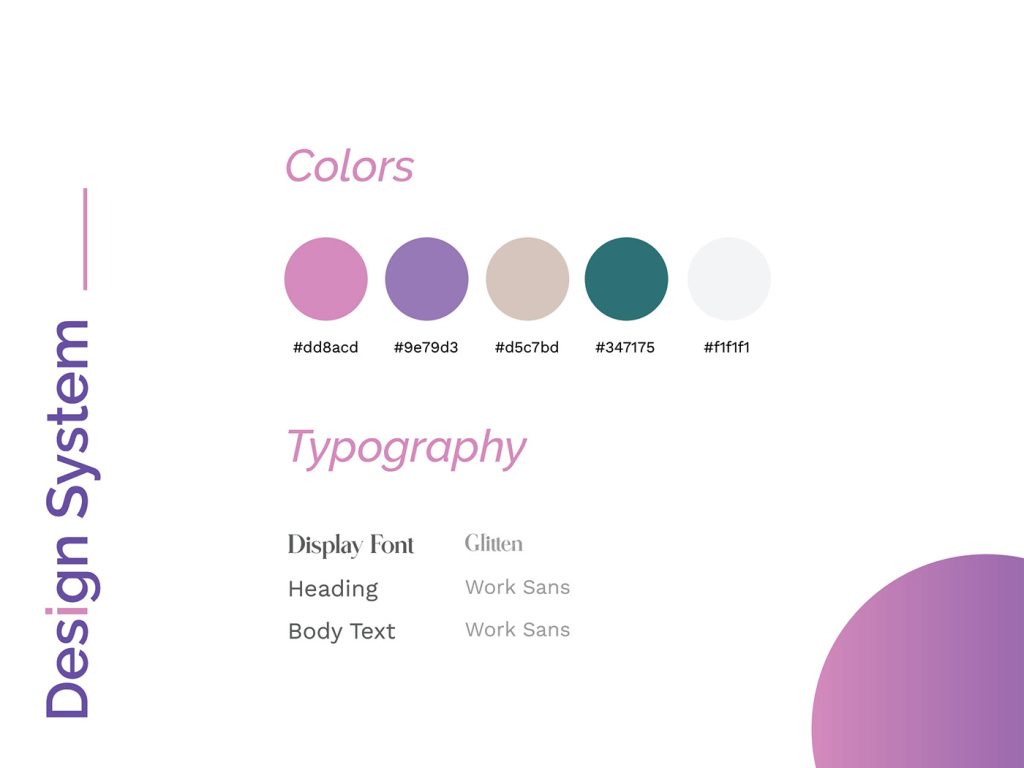
Emphasize clean and modern design aesthetics. Avoid overwhelming your portfolio with excessive visual elements. Focus on readability, and use whitespace effectively to create visual balance. Use appropriate fonts and color palettes that evoke the right feeling and maintain a cohesive look across all pages. The design should convey the project’s personality, thereby engaging the viewer effectively. By implementing a clean and modern design, you can establish a professional brand image and showcase your creative potential.
Storytelling Through Compelling Visualizations
Showcasing Work in a Narrative Format
Present your projects in a narrative format, focusing on the client’s needs, challenges, your approach, and the final outcome. Tell compelling stories that showcase your thought process, your creativity, and your design skills. This narrative approach will help viewers understand the context of your work and connect on a more personal level.
Using Case Studies for Enhanced Storytelling
Develop case studies for each project, offering a deeper dive into the specific challenges and solutions you provided. Highlight the steps, the results, and the overall impact on the client’s business. Include quotes from clients to emphasize the value of your work and validate the impact you have on others.
Incorporating Interactive Elements
Incorporate interactive elements where appropriate. This can be through hover effects, animations, or interactive visuals to increase engagement and provide a richer user experience. Including interactive elements will further establish trust and confidence in your abilities and approach. By showcasing work in a narrative format, you can convey more meaning and highlight your professional competence.
Mobile Optimization for a Seamless Experience
Ensuring Responsiveness
Your portfolio website must be responsive across all devices. A responsive design ensures that your website adapts to different screen sizes and orientations. This guarantees optimal viewing and navigation on various devices and browsers, offering a seamless browsing experience.
Optimizing Loading Speed
Optimize images for web use to prevent slow loading times. Use a content delivery network (CDN) to improve website speed and provide fast loading times. Optimize code and utilize appropriate image formats. Faster load times are key to keeping users engaged and from getting frustrated.
Prioritizing Mobile User Experience
Focus on prioritizing the mobile user experience. This involves adapting design and functionality for easy navigation and interaction on smaller screens. Think about the elements needed on a smaller device to guarantee a seamless experience.
In conclusion, designing a user-friendly experience for your portfolio website is crucial for attracting visitors and conveying your brand effectively. By focusing on clear navigation, intuitive design, high-quality visuals, and compelling storytelling, you can transform your portfolio from a static collection of work into a dynamic platform that showcases your capabilities and fosters connections. Following the steps outlined in this article, you can create a user-friendly experience that truly represents your skills and expertise and ultimately helps convert visitors into clients. Ready to launch a portfolio that converts? Let’s get started! Contact us today to schedule a consultation and we will help you craft a compelling portfolio experience.


